Camera
Overview
Open the camera by tapping the Camera tile.
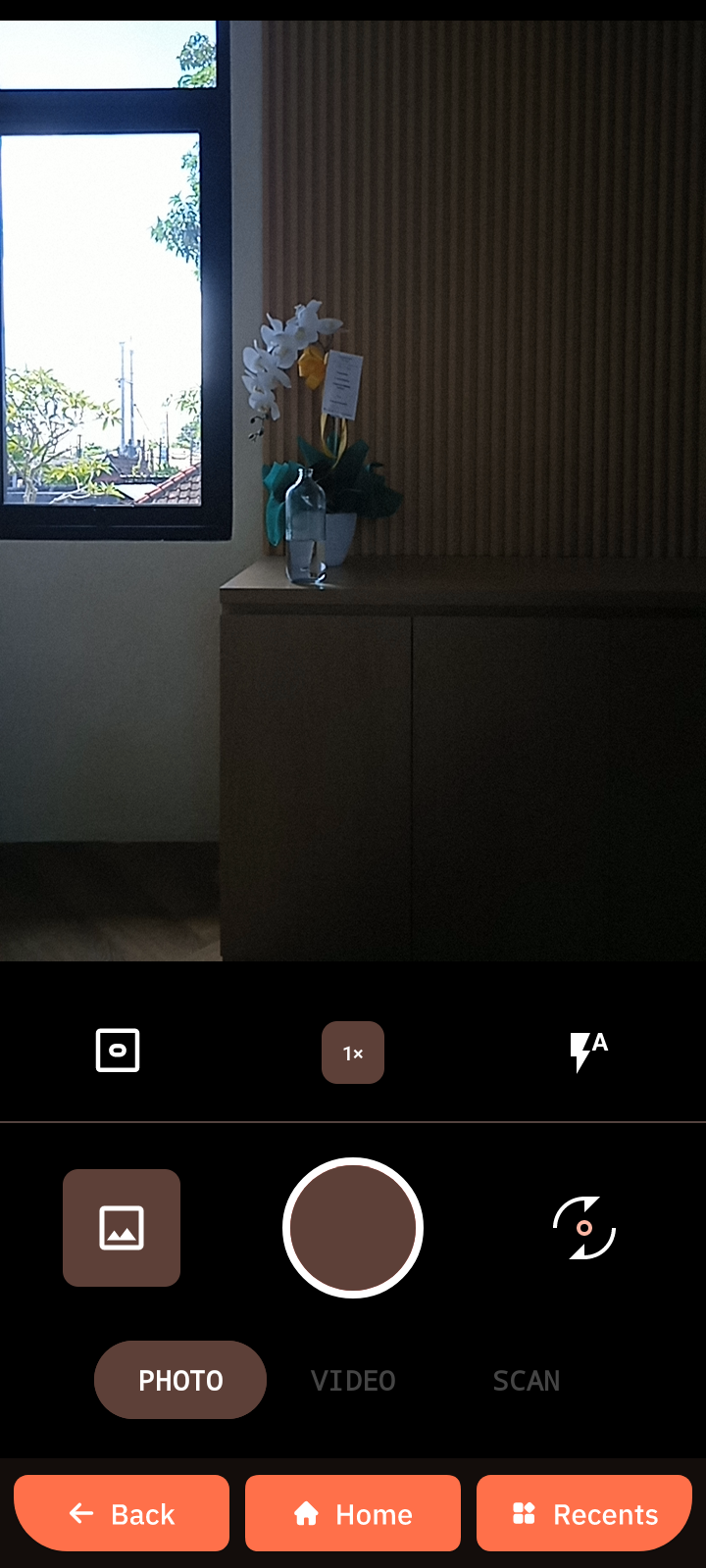
Camera interface elements
- Extra camera settings
- Max photo count indicator
- Flash settings
- Zoom control
- Front/rear camera switch
- Shutter button
- Open gallery
- Mode switch
Take a photo
- Tap the shutter button.
- Tap the gallery button to preview the photo.
Record a video
- Tap Video at the bottom to switch to video mode.
- Tap the record button to start filming.
- Tap the stop button to finish.
- Tap the gallery button to preview the video.
Scan barcode or QR-code
- Tap Scan.
- Point the camera at the barcode or QR-code.
- Get the result.