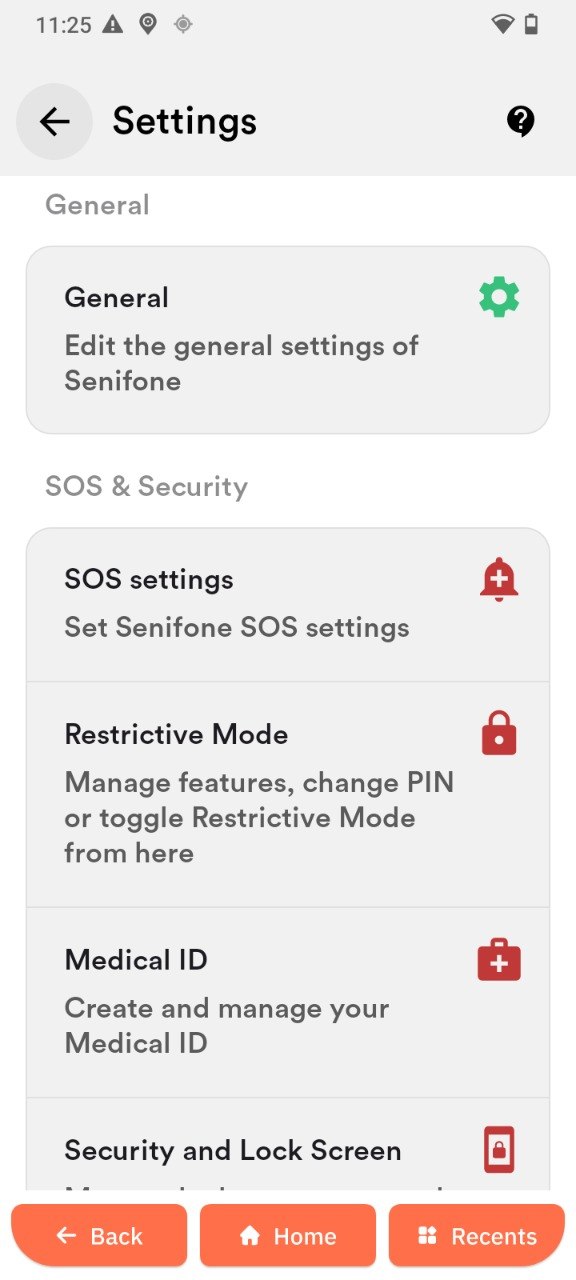
Settings Overview

Open Senifone settings

Senifone settings are separate from standard Android settings and control the Senifone experience.

  1. Tap the Settings gear on the home screen toolbar.
  2. Choose the desired section.

General

The General section includes:

  1. Language selection
  2. Version, PIN, IMEI, and storage info
  3. Check for Senifone updates
  4. Restore default settings

Update your device

There are two types of updates: launcher and firmware.

Launcher update

  1. Tap Check for updates.
  2. Tap Check for updates again.
  3. Tap Install update.

Firmware update

  1. Swipe down from the top of the screen.
  2. Swipe down again to expand the panel.
  3. Tap the gear icon.
  4. Scroll to System.
  5. Tap Advanced.
  6. Tap Updater.
  7. Tap Download. If no update appears, tap refresh.
  8. Tap Install when the download completes.

Reset your device

You can reset only the launcher or the entire device.

  1. Tap Reset launcher or Factory reset.
  2. Tap Reset and wait for completion.

SOS and security entry

The SOS & Security section links to SOS configuration and security features. Detailed SOS instructions live in the SOS section of the manual.

Settings overview

Placeholder: Screenshot of Senifone settings menu.